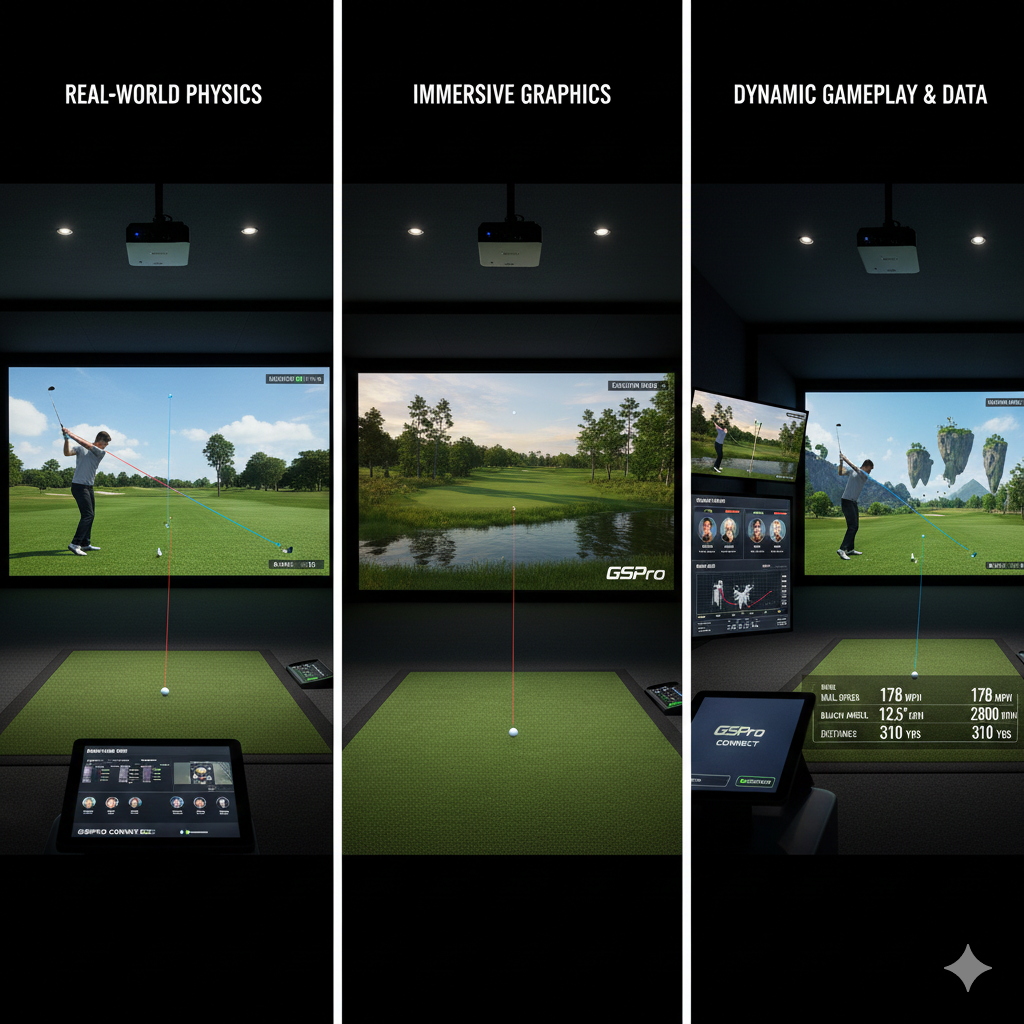

When we think about practicing our golf game, the environment in which we choose to hone our skills can significantly influence our performance. Indoor practice offers a controlled setting where we can focus on specific aspects of our game without the distractions of weather or varying terrain. In contrast, outdoor practice allows us to experience real-world conditions, which can be crucial for developing our ability to adapt to different situations on the course.
By recognizing these differences, we can tailor our practice sessions to maximize our improvement. Indoor practice typically involves the use of simulators and launch monitors, which provide immediate feedback on our swings and ball flight. This technology allows us to analyze our performance in detail, focusing on metrics such as swing speed, launch angle, and ball spin.
However, while we can achieve precision in our technique indoors, we may miss out on the nuances of playing in natural conditions. Outdoor practice, on the other hand, challenges us with elements like wind, slope, and uneven lies, which are essential for developing a well-rounded game. By understanding these differences, we can create a balanced practice routine that incorporates both indoor and outdoor sessions.
Key Takeaways
- Indoor and outdoor golf practice require different launch monitor settings and adjustments due to environmental and space differences.
- Proper lighting and space management are crucial for accurate launch monitor readings indoors.
- Outdoor practice demands consideration of weather, wind, and varying turf conditions to fine-tune launch monitor data.
- Selecting a launch monitor with features suited for both indoor and outdoor environments enhances practice effectiveness.
- Integrating data from launch monitors across settings allows for comprehensive analysis and improved performance.
Adjusting Launch Monitor Settings for Indoor Practice
To make the most of our indoor practice sessions, we must ensure that our launch monitor settings are optimized for the environment. Each launch monitor comes with a variety of settings that can be adjusted based on the specific conditions of our practice area. For instance, we should consider factors such as the height of the ceiling and the distance to the screen when calibrating our device.
By taking these elements into account, we can achieve more accurate readings that reflect our true performance. Additionally, we should familiarize ourselves with the various modes available on our launch monitor. Many devices offer different settings for indoor use, allowing us to select options that best suit our practice goals.
For example, if we are focusing on improving our swing mechanics, we might prioritize metrics like club path and face angle. Conversely, if we are working on distance control, we may want to concentrate on carry distance and launch angle. By adjusting these settings accordingly, we can ensure that our indoor practice is both effective and informative.
The Impact of Lighting on Launch Monitor Readings
Lighting plays a crucial role in the accuracy of launch monitor readings during indoor practice. The quality and intensity of light can affect how the device tracks the ball’s movement and captures data. Poor lighting conditions may lead to inaccurate readings, which can hinder our ability to assess our performance accurately.
Therefore, it is essential for us to set up our practice area in a well-lit environment to ensure optimal functionality of the launch monitor. We should also consider the type of lighting used in our indoor space. Natural light is often preferable, as it provides a more consistent illumination compared to artificial sources.
However, if natural light is not an option, we can use high-quality LED lights that mimic daylight conditions. By ensuring that our practice area is well-lit and free from shadows or glare, we can enhance the reliability of our launch monitor readings and gain valuable insights into our game.
Managing Space Constraints in Indoor Settings
One of the challenges we often face when practicing indoors is managing space constraints. Many of us may not have access to a large area where we can swing freely without worrying about hitting walls or furniture. To overcome this limitation, we need to be creative in how we set up our practice environment.
Utilizing nets or impact screens can help us create a safe space for hitting balls while minimizing the risk of damage to our surroundings. Moreover, we should consider using portable launch monitors that are designed for smaller spaces. These devices often come with features that allow them to function effectively even in confined areas.
By selecting equipment that suits our available space, we can maximize our practice time and ensure that we are still able to work on key aspects of our game without feeling restricted.
Selecting the Right Launch Monitor for Indoor Practice
| Setting | Indoor Practice | Outdoor Practice | Notes |
|---|---|---|---|
| Launch Angle Calibration | Adjust for lower ceiling and limited space; typically reduce max angle | Standard calibration; full range of angles captured | Indoor spaces may require angle limits to avoid false readings |
| Ball Speed Sensitivity | Increase sensitivity to detect shorter ball flights accurately | Standard sensitivity; optimized for longer ball flights | Higher sensitivity indoors helps with shorter distances |
| Spin Rate Detection | Use enhanced spin detection to compensate for limited ball flight | Standard spin detection settings | Spin data indoors can be less reliable without adjustments |
| Lighting Conditions | Adjust sensor exposure for artificial lighting | Optimize for natural sunlight and shadows | Proper lighting calibration improves data accuracy |
| Background Contrast | Use high-contrast backdrops to improve ball tracking | Natural backgrounds; may require sensor adjustments | Contrast helps reduce tracking errors indoors |
| Data Sampling Rate | Increase sampling rate to capture quick, short shots | Standard sampling rate sufficient for outdoor shots | Higher sampling indoors improves data fidelity |
| Temperature & Humidity Compensation | Calibrate for stable indoor climate | Adjust for variable outdoor weather conditions | Environmental factors affect ball flight and sensor accuracy |
Choosing the right launch monitor is essential for effective indoor practice. With numerous options available on the market, it is crucial for us to evaluate which features align with our specific needs and goals. Some monitors are designed primarily for indoor use and offer advanced tracking capabilities that provide detailed data on ball flight and swing mechanics.
Others may be more versatile but lack the precision required for indoor settings. When selecting a launch monitor, we should consider factors such as accuracy, ease of use, and compatibility with other training tools. Additionally, it is beneficial to look for devices that offer comprehensive data analysis features, allowing us to track our progress over time.
By investing in a high-quality launch monitor tailored for indoor practice, we can enhance our training sessions and gain valuable insights into our performance.
Optimizing Ball Flight Data for Indoor Practice
To truly benefit from indoor practice sessions, we must focus on optimizing ball flight data provided by our launch monitor. This data is invaluable for understanding how different factors affect our shots and can guide us in making necessary adjustments to improve our game. We should pay close attention to key metrics such as launch angle, spin rate, and carry distance, as these elements directly impact how well we perform on the course.
In addition to analyzing individual shots, it is essential for us to look for patterns in our data over time. By tracking changes in our performance metrics, we can identify areas where we need improvement and adjust our practice accordingly. For instance, if we notice a consistent issue with low launch angles, we can focus on refining our setup or swing mechanics to address this problem.
By actively engaging with the data provided by our launch monitor, we can make informed decisions that lead to tangible improvements in our game.
Addressing Environmental Factors in Outdoor Practice
When practicing outdoors, environmental factors play a significant role in how we perform. Elements such as wind direction, temperature, and humidity can all influence ball flight and overall playability. To become more adept at handling these variables, it is essential for us to develop an awareness of how they affect our shots during outdoor practice sessions.
For instance, when practicing in windy conditions, we should experiment with different club selections and shot shapes to see how they interact with the wind. Understanding how to adjust our aim and swing based on wind direction can help us become more versatile players on the course. Additionally, practicing in varying temperatures allows us to experience how changes in air density affect ball flight distance and trajectory.
By embracing these environmental factors during outdoor practice, we can enhance our adaptability and overall performance.
Utilizing Advanced Features for Outdoor Practice
Many modern launch monitors come equipped with advanced features that can significantly enhance our outdoor practice experience. These features often include real-time feedback on shot performance, video analysis capabilities, and even integration with mobile apps for comprehensive data tracking. By utilizing these tools effectively, we can gain deeper insights into our game and make more informed adjustments during practice.
For example, some launch monitors offer shot dispersion analysis that allows us to visualize how consistent our shots are over a series of swings. This information can be invaluable for identifying trends in our performance and pinpointing areas where we need improvement. Additionally, video analysis features enable us to review our swing mechanics alongside data from the launch monitor, providing a holistic view of our performance.
By leveraging these advanced features during outdoor practice sessions, we can take significant strides toward improving our overall game.
Fine-Tuning Launch Monitor Settings for Wind and Weather Conditions
As we engage in outdoor practice sessions, it becomes crucial for us to fine-tune our launch monitor settings based on prevailing wind and weather conditions. Different environmental factors can affect how accurately the device tracks ball flight and provides data feedback. For instance, when practicing in windy conditions, adjusting settings related to ball speed or spin rate may yield more accurate results.
Moreover, understanding how temperature affects ball performance is essential for optimizing our practice sessions. Colder temperatures can lead to denser air, which may impact distance; therefore, adjusting settings accordingly can help us better gauge how far we’re hitting each club under varying conditions. By being proactive about fine-tuning these settings based on weather variables, we can ensure that the data collected during outdoor practice remains relevant and useful.
Adjusting for Different Turf and Surface Types in Outdoor Practice
The type of turf or surface we practice on outdoors can significantly influence how well we perform during a round of golf. Different grass types have unique characteristics that affect ball interaction and lie conditions; therefore, it is essential for us to adjust our approach based on these variables during outdoor practice sessions. For example, practicing on firm fairways may require us to adapt our swing technique compared to softer turf conditions.
Additionally, understanding how different surfaces impact shot execution allows us to develop strategies tailored to specific course conditions. Practicing on various turf types helps us become more versatile players who can confidently navigate different lies during actual rounds of golf. By incorporating diverse surface types into our outdoor practice routine, we enhance not only our technical skills but also our ability to adapt when faced with real-world challenges on the course.
Integrating Launch Monitor Data for Comprehensive Practice Analysis
To truly maximize the benefits of both indoor and outdoor practice sessions, it is vital for us to integrate launch monitor data into a comprehensive analysis of our performance over time. By consistently tracking key metrics from both environments—such as swing speed, ball speed, launch angle, and shot dispersion—we gain valuable insights into how different factors influence our game. This integrated approach allows us to identify trends and correlations between indoor training sessions and outdoor performance outcomes.
For instance, if we notice improvements in specific metrics during indoor practice translating into better scores outdoors, it reinforces the effectiveness of those training methods. Conversely, if certain areas show stagnation or decline despite focused efforts indoors, it prompts us to reevaluate our approach or seek additional guidance from coaches or training resources. By embracing this holistic perspective on practice analysis through launch monitor data integration, we position ourselves for continuous growth as golfers committed to improvement.
For golfers looking to enhance their practice sessions, understanding how to optimize launch monitor settings for both indoor and outdoor environments is crucial. A related article that provides valuable insights on creating the ideal practice space is available at How to Convert Your Garage or Spare Room into the Perfect Golf Studio. This resource offers tips on setting up a dedicated area that complements your launch monitor usage, ensuring you get the most out of your practice time.
FAQs
What is a launch monitor?
A launch monitor is a device used by golfers to measure various aspects of their swing and ball flight, such as ball speed, launch angle, spin rate, and carry distance. It provides data that helps players analyze and improve their performance.
Why do launch monitor settings need to be adjusted for indoor vs. outdoor practice?
Indoor and outdoor environments differ in lighting, space, and background conditions, which can affect the accuracy of a launch monitor. Adjusting settings ensures the device correctly tracks the ball and club data in each environment for reliable results.
What are common settings to optimize for indoor use?
For indoor use, settings often include adjusting the device’s brightness or contrast to accommodate artificial lighting, calibrating the distance to the hitting surface, and sometimes using a net or impact screen to safely capture ball flight data.
How do outdoor conditions affect launch monitor performance?
Outdoor conditions such as sunlight, wind, and open space can influence the launch monitor’s sensors and tracking capabilities. Settings may need to be adjusted to reduce glare, compensate for wind, and ensure the device captures the full ball flight.
Can all launch monitors be used both indoors and outdoors?
Most modern launch monitors are designed for both indoor and outdoor use, but their performance can vary depending on the model and technology. It is important to check the manufacturer’s guidelines and adjust settings accordingly.
Is calibration necessary when switching between indoor and outdoor practice?
Yes, recalibrating the launch monitor when switching environments helps maintain data accuracy. This may involve resetting distance measurements, adjusting sensor sensitivity, or updating environmental parameters.
What role does lighting play in launch monitor accuracy?
Lighting significantly impacts the launch monitor’s ability to track the ball and club. Indoor lighting may require adjustments to sensor settings, while outdoor sunlight can cause glare or shadows that interfere with data collection.
Are there specific accessories recommended for indoor launch monitor use?
Yes, accessories such as impact screens, hitting mats, and nets are commonly used indoors to safely capture ball flight and protect surroundings. These accessories can also influence the launch monitor’s settings and data accuracy.
How can I ensure consistent data when practicing in different environments?
To ensure consistency, regularly calibrate your launch monitor, adjust settings based on the environment, use recommended accessories, and follow manufacturer instructions for both indoor and outdoor use.
Does temperature affect launch monitor readings?
Temperature can affect ball flight characteristics and sensor performance. While most launch monitors compensate for temperature variations, it is advisable to consider environmental conditions when analyzing data.