
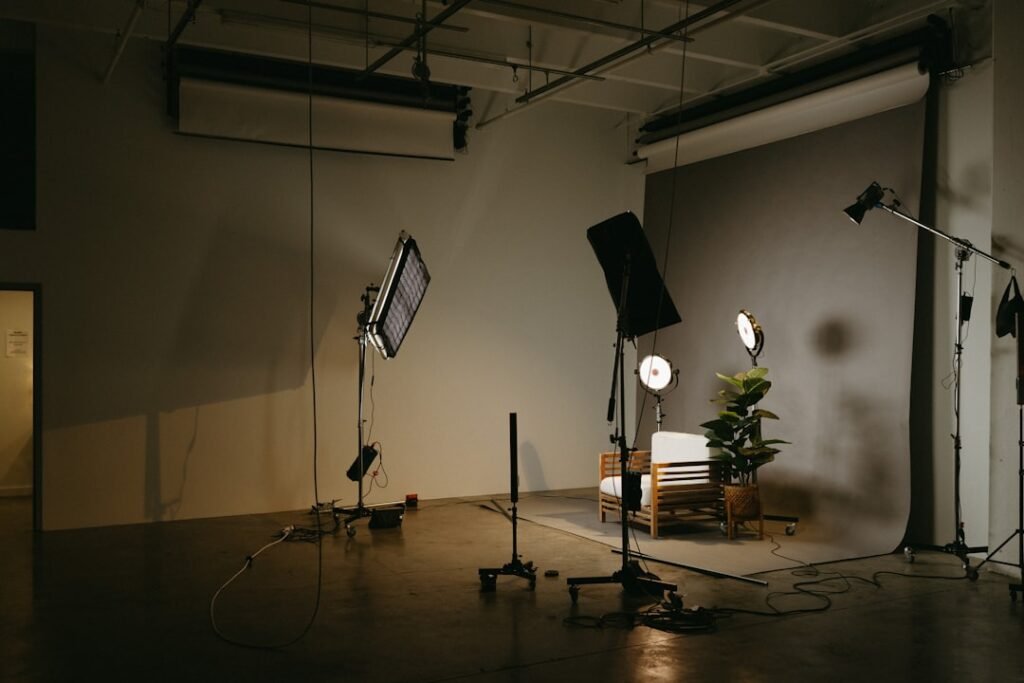
Creating a golf simulator requires a comprehensive evaluation of available space and intended usage. The assessment should begin with measuring room dimensions, ceiling height, and identifying potential obstructions that may affect gameplay. Ceiling height is particularly critical, as insufficient clearance may require selecting specific simulator models or modifying swing techniques.
The flooring material should also be evaluated, as solid surfaces typically provide better feedback and enhanced practice realism. The intended use of the simulator significantly influences design decisions and equipment selection. Simulators designed primarily for individual practice have different requirements than those intended for group entertainment.
Social usage may necessitate additional features such as seating areas, refreshment stations, or spectator viewing zones. Determining the primary purpose—whether focused training, casual practice, or entertainment—guides equipment specifications and spatial layout decisions. This preliminary assessment establishes the foundation for all subsequent planning decisions, ensuring the final installation meets both spatial constraints and functional requirements.
Proper evaluation prevents costly modifications and ensures optimal performance within the designated space.
Key Takeaways
- Evaluate your room size and specific needs before selecting lighting and sound equipment.
- Proper lighting enhances visibility and realism in your golf simulator experience.
- Choose lighting and sound systems that complement your space and provide immersive gameplay.
- Balance budget constraints with quality to ensure durable and effective equipment.
- Regular maintenance is essential to keep your lighting and sound systems functioning optimally.
Understanding the Importance of Lighting
Lighting plays a pivotal role in enhancing our golf simulator experience. It affects not only how we perceive the virtual environment but also how accurately we can analyze our performance. Proper lighting can help reduce glare on screens and ensure that we can see our shots clearly, which is essential for both practice and gameplay.
Moreover, good lighting can create an inviting atmosphere that makes us want to spend more time in our golf studio. We should consider both ambient and task lighting to achieve a well-balanced setup. In addition to improving visibility, lighting can also influence our mood and focus.
A well-lit environment can energize us and enhance our concentration during practice sessions. Conversely, poor lighting can lead to frustration and distractions, ultimately detracting from our performance. Therefore, it is essential to invest time in understanding how different lighting options can impact our overall experience.
By prioritizing lighting in our design process, we can create a space that not only meets our functional needs but also fosters an enjoyable and immersive golfing atmosphere.
Choosing the Right Golf Simulator Lighting Setup

When it comes to selecting the right lighting setup for our golf simulator, we have several options to consider. LED lights are often favored for their energy efficiency and longevity. They provide bright illumination without generating excessive heat, making them ideal for extended practice sessions.
Additionally, LED lights come in various color temperatures, allowing us to customize the ambiance of our space according to our preferences. We might opt for cooler tones during practice for a more focused environment or warmer tones for a relaxed atmosphere when entertaining guests. Another option worth exploring is adjustable lighting systems that allow us to control brightness levels and color temperatures remotely.
This flexibility can be particularly beneficial as it enables us to adapt the lighting based on the time of day or our specific activities. For instance, dimming the lights during a friendly competition can create a more exciting atmosphere, while brightening them during practice can help us focus on our technique. By carefully considering these options, we can create a lighting setup that enhances both functionality and enjoyment in our golf simulator space.
Exploring Sound System Options
As we delve into creating an immersive golf simulator experience, we cannot overlook the importance of sound. A high-quality sound system can significantly enhance our enjoyment by providing realistic audio feedback during gameplay. Whether it’s the satisfying sound of a club striking the ball or the ambient noise of a golf course, sound plays a crucial role in making our virtual experience feel authentic.
We should explore various sound system options available on the market, from simple Bluetooth speakers to more complex surround sound setups. When selecting a sound system, we should consider factors such as audio quality, connectivity options, and ease of use. For instance, wireless speakers offer convenience and flexibility in placement, allowing us to position them optimally within our space without worrying about tangled wires.
On the other hand, a wired system may provide superior sound quality and reliability. Additionally, we should think about how we want to integrate music or other audio sources into our setup. A versatile sound system that accommodates multiple inputs will enhance our overall experience and keep us entertained during practice sessions.
Determining the Ideal Sound System for Your Home Golf Studio
| Aspect | Recommended Specification | Purpose/Benefit | Example Products |
|---|---|---|---|
| Lighting Type | LED Soft White (2700K-3000K) | Provides warm, natural light to reduce glare and eye strain | Philips Hue White Ambiance, GE LED Soft White |
| Lighting Brightness | 300-500 lumens per fixture | Ensures clear visibility of golf ball and swing without harsh shadows | Standard LED bulbs, Adjustable desk lamps |
| Lighting Placement | Multiple light sources at 45-degree angles | Minimizes shadows and evenly illuminates the hitting area | Track lighting, Floor lamps |
| Sound System Type | 2.1 or 5.1 Surround Sound System | Delivers immersive audio for swing analysis and entertainment | Bose Companion 2, Logitech Z906 |
| Speaker Power | 20-50 Watts RMS per speaker | Provides clear and loud sound without distortion | Yamaha NS-6490, Klipsch R-41M |
| Connectivity | Bluetooth and Wired (3.5mm or Optical) | Allows flexible connection to devices like simulators and smartphones | Sonos Beam, JBL Charge 5 |
| Acoustic Treatment | Foam panels or bass traps | Reduces echo and improves sound clarity in the room | Auralex Acoustics Studiofoam, ATS Acoustics Panels |
Finding the ideal sound system for our home golf studio requires careful consideration of both our preferences and the specific characteristics of our space. We should start by evaluating the size of the room and how sound travels within it. In larger spaces, we may need a more powerful system with multiple speakers strategically placed to ensure even sound distribution.
Conversely, in smaller rooms, a compact system may suffice while still delivering high-quality audio. Another important aspect to consider is how we plan to use the sound system beyond just golfing. If we envision using it for movie nights or music listening sessions as well, investing in a more versatile audio setup could be worthwhile.
We might explore options such as soundbars or multi-room audio systems that allow us to enjoy high-quality sound across different activities. By taking these factors into account, we can select a sound system that not only enhances our golfing experience but also serves as an entertainment hub for various occasions.
Considering Budget and Quality

As with any home improvement project, budget considerations are paramount when creating our golf simulator space. We must strike a balance between quality and affordability to ensure that we get the best value for our investment. While it may be tempting to cut corners on equipment or materials to save money upfront, doing so could lead to dissatisfaction in the long run.
Instead, we should prioritize quality products that will stand the test of time and enhance our overall experience. To effectively manage our budget, we should create a detailed plan outlining all potential expenses associated with setting up our golf simulator space. This includes not only lighting and sound systems but also equipment like simulators, screens, and flooring materials.
By having a clear understanding of our financial limits, we can make informed decisions about where to allocate funds while still achieving a high-quality setup. Additionally, exploring second-hand options or sales can help us find premium products at more affordable prices without compromising on quality.
Installation and Setup Process
Once we have finalized our plans and selected our equipment, it’s time to tackle the installation and setup process. This stage can be both exciting and challenging as we bring our vision to life. We should start by preparing the space—clearing out any unnecessary items and ensuring that the area is clean and ready for installation.
Depending on the complexity of our setup, we may choose to tackle some aspects ourselves while hiring professionals for others. For instance, installing lighting fixtures may require basic electrical knowledge, while setting up a sound system could involve more intricate wiring or calibration processes. It’s essential to follow manufacturer instructions carefully during this phase to ensure everything functions correctly.
Additionally, taking measurements and testing placements before finalizing installations can save us from potential headaches down the line. By approaching this process methodically and with patience, we can create a well-organized and efficient golf simulator space.
Maintenance and Upkeep of Your Lighting and Sound System
After successfully setting up our golf simulator space with optimal lighting and sound systems, ongoing maintenance becomes crucial for preserving their functionality and performance over time. Regularly checking connections, cleaning equipment, and replacing any worn-out components will help ensure that everything continues to operate smoothly. For instance, dust accumulation on speakers or light fixtures can diminish their effectiveness; therefore, establishing a routine cleaning schedule is advisable.
Moreover, staying informed about technological advancements in lighting and audio systems can help us make upgrades when necessary. As new products emerge on the market with improved features or capabilities, we may find opportunities to enhance our setup further down the line. By prioritizing maintenance and being open to future improvements, we can ensure that our golf simulator space remains an enjoyable retreat for years to come.
In conclusion, creating an exceptional golf simulator environment involves careful planning and consideration across various aspects—from assessing our space and needs to selecting appropriate lighting and sound systems. By taking these steps thoughtfully and prioritizing quality within our budget constraints, we can craft an immersive experience that elevates both practice sessions and social gatherings alike. With proper installation and ongoing maintenance, we will enjoy countless hours of golfing fun in our personalized haven.
FAQs
What factors should I consider when choosing lighting for a home golf studio?
When selecting lighting for a home golf studio, consider brightness, color temperature, and placement. Bright, evenly distributed lighting helps reduce shadows and improves visibility. A color temperature between 4000K and 5000K is ideal for a natural daylight effect. Adjustable lighting or multiple light sources can help customize the environment for different times of day and activities.
Why is sound quality important in a home golf studio?
Sound quality is important because it enhances the overall experience, especially if you use video tutorials, virtual golf simulators, or communicate with coaches remotely. Clear audio helps you hear instructions, feedback, and ambient sounds accurately, which can improve your training and enjoyment.
What types of sound systems are suitable for a home golf studio?
Compact, high-quality speakers or soundbars are suitable for home golf studios. Wireless Bluetooth speakers offer flexibility in placement, while wired systems can provide more consistent sound quality. Consider systems with good bass response and clear midrange frequencies to capture all audio details.
How can I minimize sound distractions in my home golf studio?
To minimize sound distractions, use soundproofing materials such as acoustic panels, foam tiles, or heavy curtains. Position speakers away from reflective surfaces to reduce echo. Additionally, choose a quiet location for your studio to avoid external noise interference.
Is it necessary to have adjustable lighting and sound systems in a home golf studio?
Yes, adjustable lighting and sound systems are beneficial because they allow you to tailor the environment to your specific needs. Adjustable lighting can help reduce glare and shadows during different times of day, while volume control and sound settings can optimize audio clarity for various activities.
Can smart home technology be integrated into lighting and sound systems for a golf studio?
Yes, smart home technology can be integrated to control lighting and sound systems remotely via smartphone apps or voice commands. This integration allows for easy adjustments, preset scenes, and automation, enhancing convenience and customization in your home golf studio.
What is the ideal placement for lighting and speakers in a home golf studio?
Lighting should be placed to evenly illuminate the hitting area without causing glare or shadows on the screen or hitting mat. Overhead and side lighting are common placements. Speakers should be positioned at ear level and directed towards the user to ensure clear and immersive sound without interference from walls or furniture.
How much should I budget for lighting and sound systems in a home golf studio?
Budget varies depending on quality and features. Basic lighting and sound setups can start around $200-$500, while high-end systems with advanced controls and premium components may cost $1000 or more. It’s important to balance cost with your specific needs and the size of your studio space.
Pingback: DIY vs. Professional Installation: What's Right for Your Golf Simulator? - Golf Edge Pro
Pingback: Beyond Golf: Using Your Simulator for Fitness Games and Entertainment - Golf Edge Pro